9 Best CRM for Startups in 2026: Free & Paid Tools Compared


Leads pile up in a spreadsheet. A follow-up slips. A warm deal goes cold because nobody remembered the next step. This is the moment a CRM stops feeling optional.
But the market is crowded. Free plans hide limits. CRM pricing jumps once a team grows. Some tools fit outbound sales, while others suit marketing-led growth.
A CRM for startups has a different job than one built for large companies. It needs to be simple, affordable, and ready to scale. But which trade-offs actually matter early on?
This guide to the 9 best CRM for startups compares features, costs, and growth paths. It is written for first-time buyers, founders, and small sales or marketing teams who want clarity before committing.
What Is a CRM for Startups and How Is It Different From an Enterprise CRM?
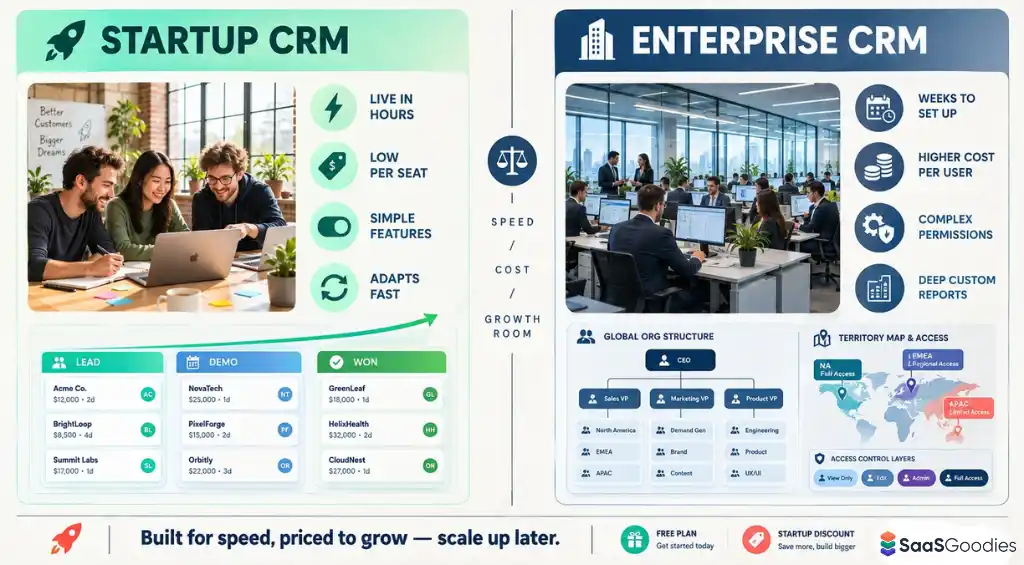
A CRM for startups is software that keeps leads, contacts, deals, and conversations in one shared place. This lets a small team follow up on time and see its sales pipeline at a glance. It replaces scattered spreadsheets, inbox threads, and sticky notes with one clear record for every customer.
An enterprise CRM does the same core job. The difference is in what each one is built to handle.
In short, an enterprise CRM is built for control at scale. A startup CRM is built for speed, low cost, and room to grow.
How We Tested Each CRM for Startups: Our 5-Point Scoring Method
Feature lists look alike on every pricing page. So we scored each CRM for startups on five factors that decide whether a tool stays useful past year one. Each factor is rated out of 10, for a total score out of 50.
Every CRM was tested with the same sample pipeline, so the scores compare like with like.
9 Best CRM for Startups: Detailed Reviews
| Best CRM for Startups | Best Startup Stage | Setup Effort |
|---|---|---|
| HubSpot CRM | Pre-seed to Series B | Low, guided onboarding |
| Salesforce Starter Suite | Series A and beyond | High, admin recommended |
| Attio CRM | Seed to Series B | Low, inbox-driven setup |
| SoftSync CRM | Solo founder to seed | Low, nothing to assemble |
| Pipedrive CRM | Pre-seed to seed | Very low, ready templates |
| Riibase CRM | Bootstrapped, early revenue | Moderate, multiple modules |
| Zoho CRM | Bootstrapped to growth stage | Moderate, many settings |
| Monday CRM | Seed to Series A | Low, template-led workspace |
| Freshsales CRM | Seed-stage sales teams | Low, simple interface |
1. HubSpot CRM
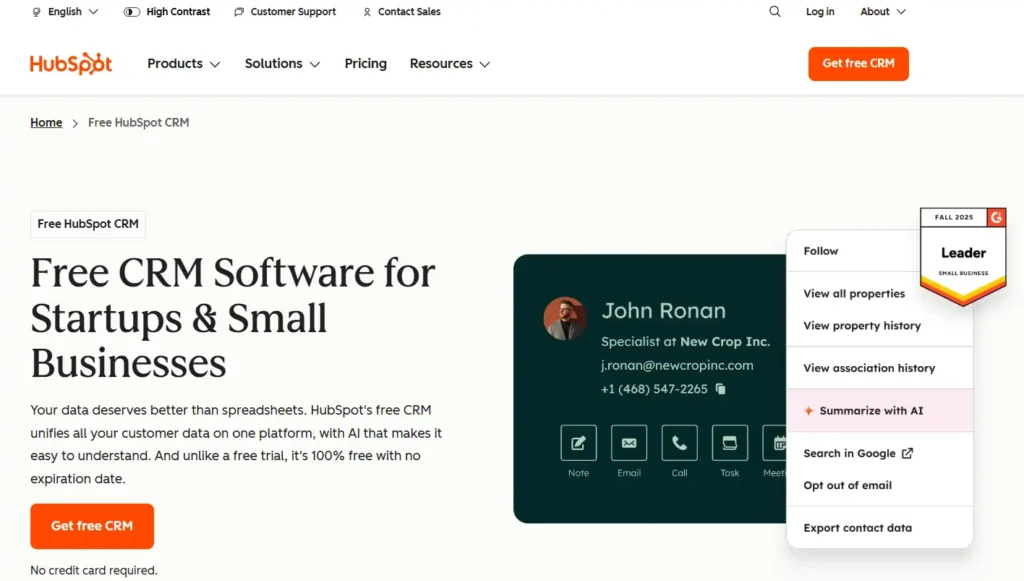
HubSpot CRM gives startups a real CRM without a monthly bill. It is 100% free with no expiration date, and signup needs no credit card.
Contacts, deals, tasks, and emails live on one platform. The team sees every conversation, every deal stage, and every follow-up in a single view. Breeze Assistant, the built-in AI, summarizes records and preps sales calls.
Growth does not mean starting over. Startups can upgrade to Starter, Professional, or Enterprise plans without migrating data. More than 306,000 customers in over 135 countries already use HubSpot to manage customer relationships.
For a young team that needs structure on a tight budget, it is a low-risk place to start.
HubSpot CRM Key Features
Best For
Early-stage startups and small teams that want a free, easy-to-use CRM with sales, marketing, and service tools in one place.
Best Use Cases
Tracking founder-led sales, capturing website leads with free forms, managing customer support tickets, and sharing live pipeline reports with investors.
Limitations
Why Choose HubSpot CRM?
It is free forever, quick to set up without IT, and scales into paid plans later without any data migration.
2. Salesforce
Salesforce brings the platform trusted by large enterprises to early-stage teams through Starter Suite. Setup is quick, nothing needs installing, and a 30-day trial runs without a credit card.
AI works across sales, service, and marketing from the first login. Prebuilt agents handle routine tasks, while Agentforce, the company’s agentic AI layer, can qualify leads and resolve support cases on its own.
Indian businesses get extra support. The SMB Growth Kit is designed for local teams and goes live in about four weeks. Over 150,000 companies, including Razorpay, already rely on Salesforce.
For startups planning to sell into large accounts, it removes the need to switch systems down the road.
Salesforce Key Features
Best For
Venture-backed and fast-scaling startups that expect enterprise customers, strict data security, and complex sales processes within the next few years.
Best Use Cases
Automating lead qualification with AI agents, resolving support cases faster, running targeted email campaigns, and forecasting revenue for board meetings.
Limitations
Why Choose Salesforce?
Startups get enterprise-grade AI, security, and scale on day one, and the CRM never becomes a bottleneck as deals grow.
3. Attio
Attio rethinks the CRM for startups that want software to do the busywork. Connect an inbox and calendar, and the workspace builds itself around how the business already works.
Its Universal Context engine captures emails, calls, product usage, and billing data automatically. Nobody has to log notes by hand, so records stay accurate even when the team gets busy.
AI agents then take over the legwork. They enrich new leads, score them, route them to the right rep, and flag stalled deals before a call. More than 30,000 customers, including Granola and Modal, run revenue on Attio.
For lean teams that need speed more than admin work, it feels built for how modern startups sell.
Attio Key Features
Best For
Tech, SaaS, and product-led startups with unusual sales processes that want a flexible data model and AI agents doing prospecting.
Best Use Cases
Turning product sign-ups into qualified pipeline, tracking investor and partner relationships, spotting churn risk early, and preparing weekly forecast reviews.
Limitations
Why Choose Attio?
It replaces manual data entry with agents that research, update, and follow up, letting small teams sell like bigger ones.
4. SoftSync
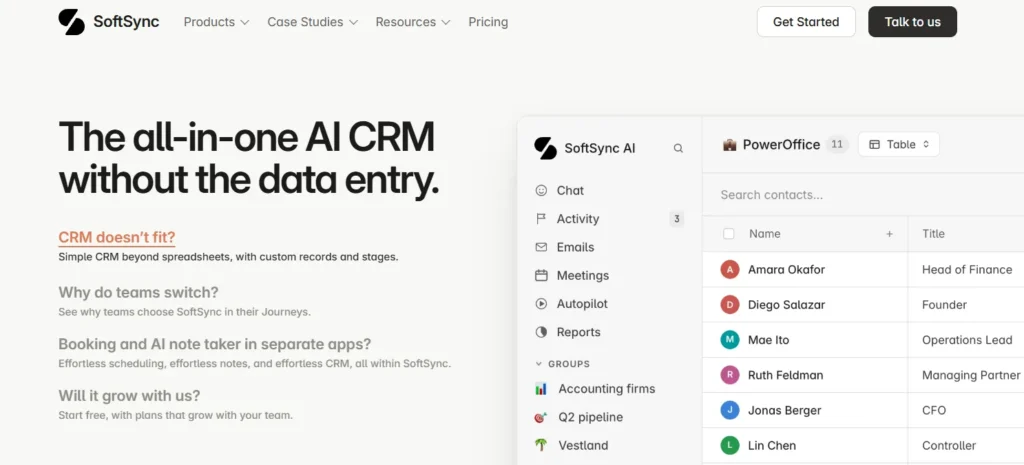
SoftSync is an AI CRM designed to remove data entry from a founder’s day. Contacts, deals, and stages sit in one fast, flexible table that adapts to how the business actually works.
Its assistant, Mr. Soft, heads a team of AI helpers. One finds leads, one chases replies by email or SMS, one books meetings, and one writes call notes without a bot joining.
Proposals, e-signatures, booking pages, and a help desk are included too. SoftSync lists ISO 27001 and SOC 2 Type II compliance, and its users include a Y Combinator founder.
For founders juggling customers alone, it replaces the notetaker, booking tool, and spreadsheet in one move.
SoftSync Coupon Code: Get 30% OFF AI CRM
exclusive
Use SoftSync coupon code FOUNDER30SSX to save 30% OFF AI CRM software with automated lead generation, sales tracking, and follow-ups.
SAVE UP TO 30%
SoftSync Key Features
Best For
Solo founders, early sales hires, and small agencies that want one simple app handling outreach, meetings, proposals, and customer follow-up.
Best Use Cases
Booking discovery calls, sending proposals for e-signature, tracking investor conversations, and keeping client pages updated without copying data between tools.
Limitations
Why Choose SoftSync?
It turns calls, emails, and bookings into organized customer records automatically, giving founders more time for conversations and less admin.
5. Pipedrive
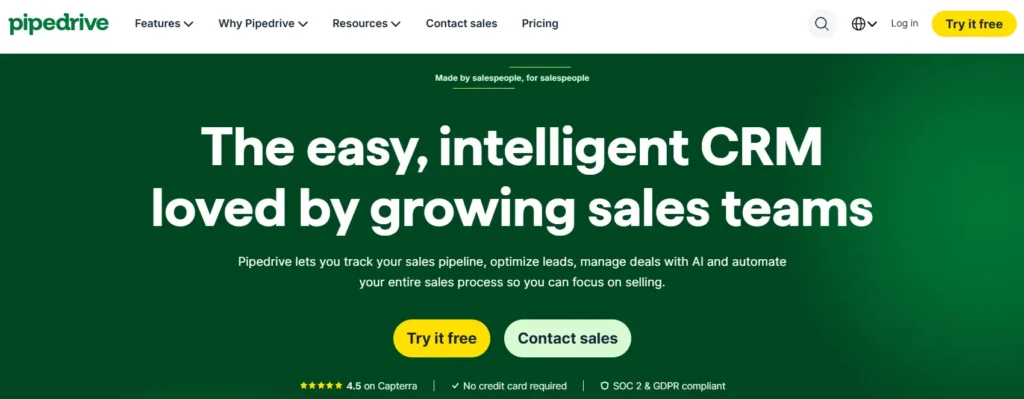
Pipedrive was made by salespeople, and it shows. The whole CRM centers on a visual pipeline where founders drag deals from one stage to the next and instantly spot what needs attention.
Leads from web forms, chat, and imports land in one inbox, tagged hot, warm, or cold. Simple triggers then send follow-ups and reminders, so promising prospects never slip away quietly.
Nova, the new meeting assistant, records calls, writes recaps, and drafts CRM updates for one-click approval at no extra cost. Over 100,000 companies across 179 countries sell with Pipedrive.
For a startup where the founder still closes every deal, it keeps selling simple and organized.
Pipedrive Key Features
Best For
Sales-driven startups and founder-led teams that think in deals and stages and want a clean pipeline without complicated setup work.
Best Use Cases
Managing B2B deals, following up with demo requests automatically, logging discovery calls with Nova, and forecasting monthly revenue against targets.
Limitations
Why Choose Pipedrive?
It turns selling into a clear visual routine, so founders always know the next step that pushes each deal forward.
6. Riibase
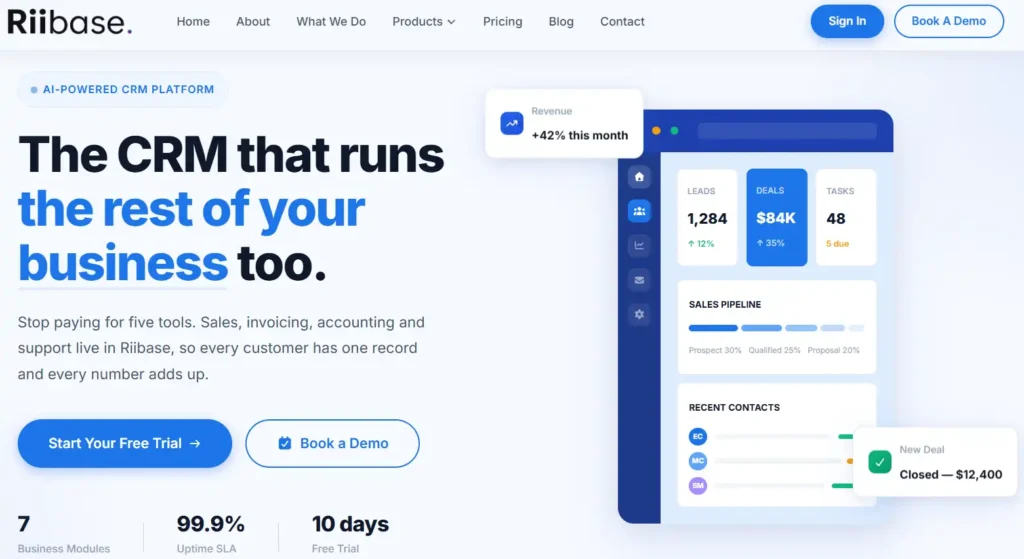
Riibase takes a different route from typical sales tools. It combines CRM, invoicing, accounting, and helpdesk features, so every customer has one record and every number matches.
AI is part of every plan, not a paid extra. It scores leads from 0 to 100 with a clear reason behind each score, and it forecasts revenue, orders, and cash flow from real historical data.
Founders can also ask the built-in assistant questions in plain English and update records right from the chat. A content editor even drafts blog posts and publishes them to WordPress and Facebook.
For startups tired of paying for five separate tools, it brings daily operations under one roof.
Riibase Coupon Code: Get 25% OFF Today
exclusive
Use Riibase code AFFINCO25 for 25% OFF an all-in-one business platform with CRM, automated invoicing, AI forecasting, and helpdesk features.
SAVE UP TO 25%
Riibase Key Features
Best For
Bootstrapped startups and small service businesses that want sales, billing, accounting, and customer support handled inside one affordable, AI-powered platform.
Best Use Cases
Prioritizing leads by AI score, invoicing clients after closed deals, tracking support requests, and planning cash flow for upcoming months.
Limitations
Why Choose Riibase?
It replaces several subscriptions with one intelligent workspace, giving startups connected sales, finance, and support data without stitching tools together.
7. Zoho CRM
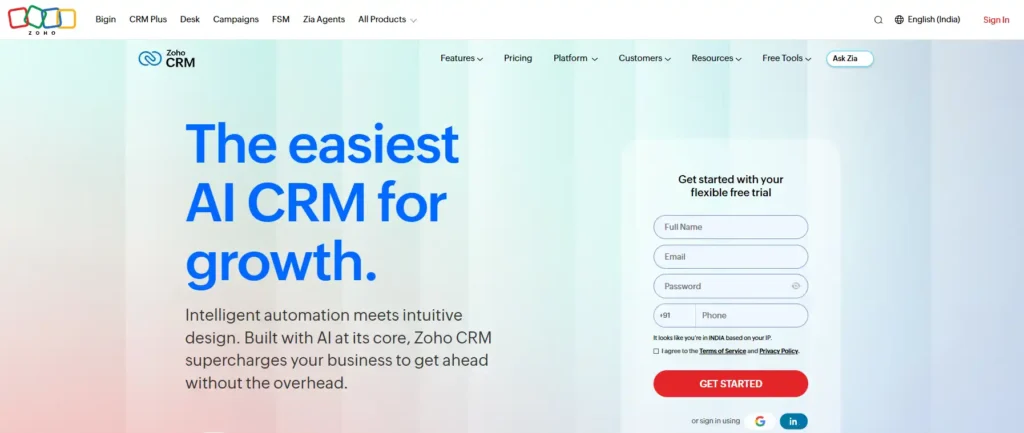
Zoho CRM has served businesses for 21 years, and today more than 350,000 companies use it. It pairs a budget-friendly price with tools usually reserved for much larger sales teams.
Zia, the built-in AI, now comes with ready-made agents from the Zia Agent Store. Teams can hire an agent for a specific job in minutes or build custom ones in Zia Agent Studio.
Smart automation handles follow-ups and approvals, while 1,200+ integrations connect tools like QuickBooks, Shopify, and WhatsApp. Startups leaving Salesforce or HubSpot also get free migration help.
For bootstrapped founders who need serious features without overspending, it offers a lot of value per seat.
Zoho CRM Key Features
Best For
Cost-conscious startups and growing small businesses that want deep customization, strong analytics, and ready-made AI agents without enterprise-level software costs.
Best Use Cases
Managing several product pipelines, automating quote approvals, syncing invoices with QuickBooks, and capturing new website leads through built-in web forms.
Limitations
Why Choose Zoho CRM?
It delivers advanced automation, AI agents, and a huge integration library at a price small startups can sustain long term.
8. Monday CRM
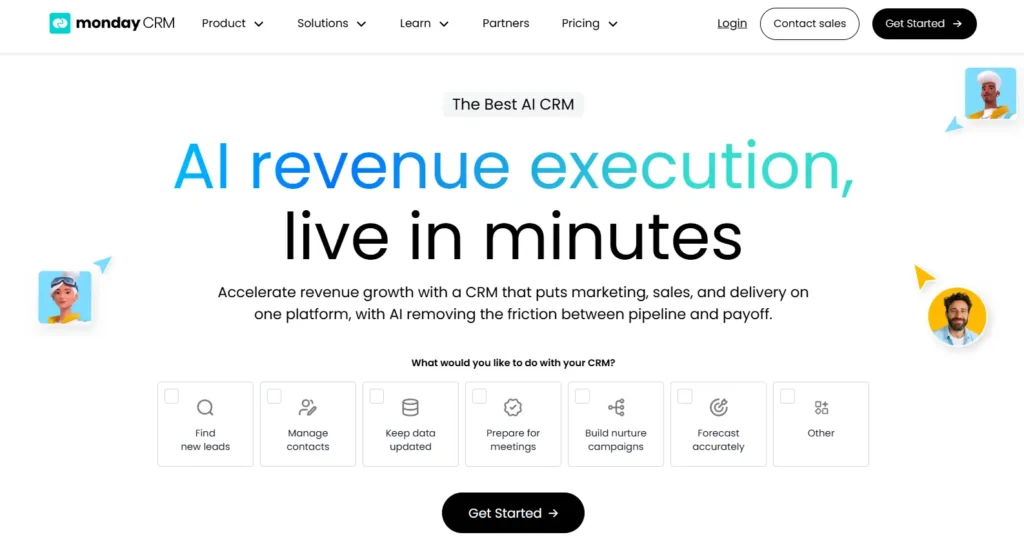
Monday CRM brings marketing, sales, and client delivery onto one connected platform. Teams already familiar with monday.com boards will feel at home, and new workspaces go live quickly.
AI does the heavy lifting across the funnel. It sources, enriches, and scores fresh leads each day, while calls, emails, and meetings fill the right CRM fields without any cleanup.
Specialized agents prepare meeting briefs, take notes, and send follow-ups. Every agent action is logged and can be tested in simulation mode first. More than 35,000 customers trust the platform.
For startups where sales hands off directly to onboarding, it keeps both teams working from the same data.
Monday CRM Key Features
Best For
Service-based startups and agencies that want sales, marketing, and project delivery tracked together on flexible, visual boards everyone easily understands.
Best Use Cases
Running nurture campaigns, handing won deals to delivery teams, preparing sales calls with AI briefs, and reviewing weekly pipeline health.
Limitations
Why Choose Monday CRM?
It links pipeline, campaigns, and delivery in one visual workspace, while controllable AI agents take routine work off the team.
9. Freshsales
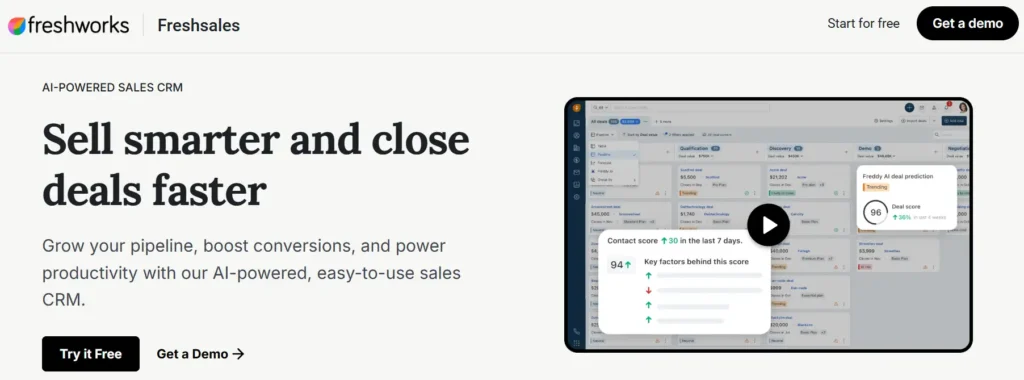
Freshsales from Freshworks is a sales CRM built around Freddy AI, an assistant that works across the entire deal cycle. Over 74,000 businesses worldwide, including Blue Nile, rely on it.
Freddy captures, qualifies, and routes new leads, then assigns intent scores so reps know who is ready to buy. It also suggests next steps on deals and drafts sales emails.
Kanban views keep the pipeline tidy, and automation clears repetitive tasks off every rep’s plate. With new plans starting at $9 and a 21-day trial, the entry cost stays modest.
For startups that want AI-guided selling on a careful budget, it is a practical fit.
Freshsales Key Features
Best For
Budget-minded B2B startups and inside sales teams that want built-in AI scoring, simple pipelines, and fast adoption across the team.
Best Use Cases
Qualifying high-volume inbound leads, routing prospects to the right rep, reducing demo no-shows, and running coordinated sales campaigns with marketing.
Limitations
Why Choose Freshsales?
Startups get practical AI scoring and deal guidance at a low entry price, so small teams chase only winnable deals.
6 Startup CRM Mistakes That Cost Founders Deals and Months of Cleanup
A CRM for startups only works if the team trusts it. These six mistakes break that trust early and create cleanup work later.
How to Move From Spreadsheets to a CRM for Startups in 7 Days
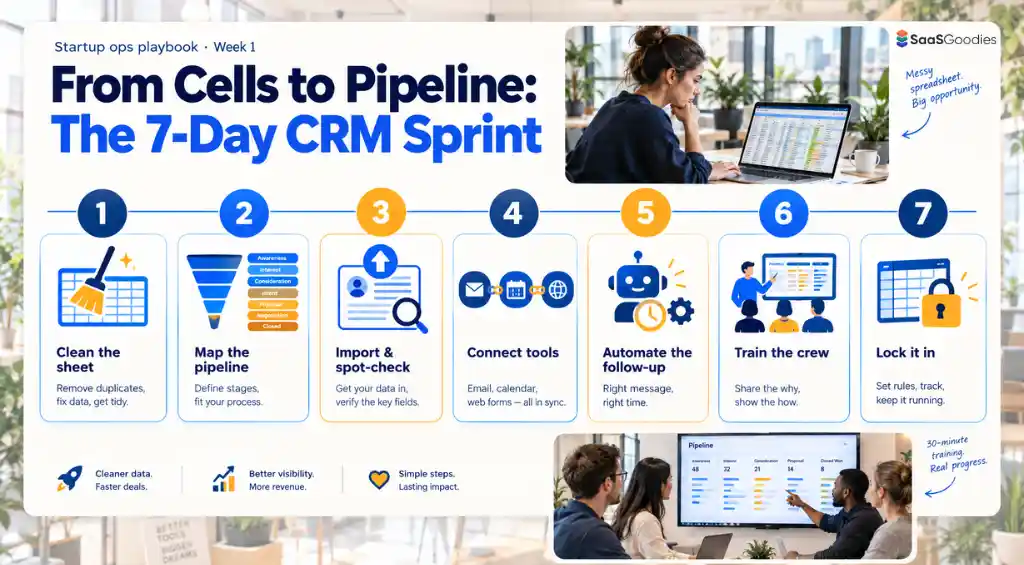
Switching from spreadsheets to a CRM for startups does not need a long project. A focused one-week plan keeps the move simple and protects existing data.
Final Verdict
A CRM rarely fails because it lacks features. It fails when the team stops using it. That is the quiet lesson behind every tool in this guide.
The right CRM for startups depends on how a company sells today and where it expects to be in a year or two. A simple setup that people actually update usually beats a powerful one left half-empty.
Start small, keep the data clean, and let the system grow alongside the team. Over time, a good CRM stops feeling like software and starts feeling like memory the whole company shares.