
&

Screen Studio Coupon 2026: 70% Off + Student Deal
Best value comes from timing + annual billing. If you’re a creator or indie developer, Screen Studio is a “quality-first” recorder where discounts matter less than workflow speed gains.


A digital tools enthusiast and SaaS deal researcher focused on finding the best software discounts for creators, developers, and online businesses. He specializes in breaking down complex software pricing into simple, actionable insights and curating verified coupon offers that help users save on premium tools. When She’s not analyzing SaaS products, he’s testing productivity apps and exploring creator workflows to uncover tools that actually improve real-world output.
Nino Beridze
Save Up to $240
70% Off Screen Studio + Free Trial
Save 70% on Screen Studio’s annual plan and get premium screen recording tools for just $9/month.

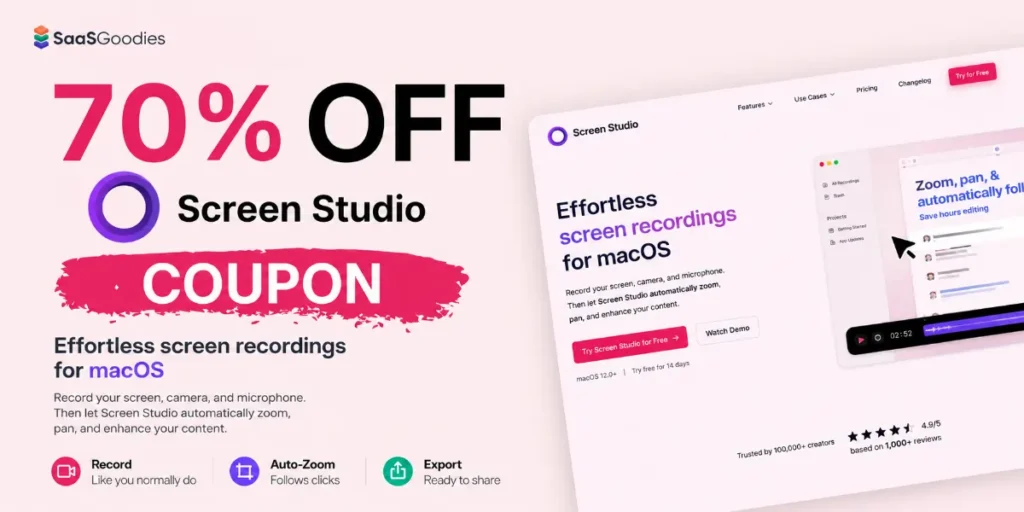
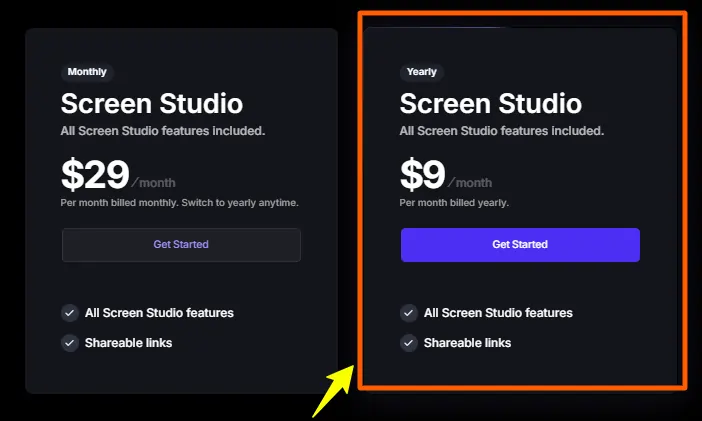
The best Screen Studio deal in 2026 is the annual plan at $108/year, which works out to $9 per month — a flat 70% off the $29/month rate. No coupon code is needed: the discount applies automatically when annual billing is selected at checkout.
Students and educators with a valid .edu email stack an extra 40% off, dropping the annual cost to roughly $64.80/year (about $5.40/month).
Every plan unlocks the full toolkit — auto-zoom, 4K export, AI transcripts — with a 30-day money-back guarantee and a free trial that needs no card.
Screen Studio deals at a glance
Screen Studio keeps pricing refreshingly simple. There are no feature tiers to decode — the only lever is billing frequency, and annual billing is where the saving lives. Here are the live offers worth claiming, ranked by value.
⚠️ A note on “promo codes” floating around Most sites listing a magic Screen Studio coupon code are describing the automatic 70% annual discount under a different name. The real saving needs no code — it is the annual toggle. Treat any page promising a stackable extra-percent code on top of annual billing with caution and confirm the final number on the checkout screen before paying.
📊 Screen Studio pricing — the numbers that matter
Why Screen Studio is worth a coupon in the first place
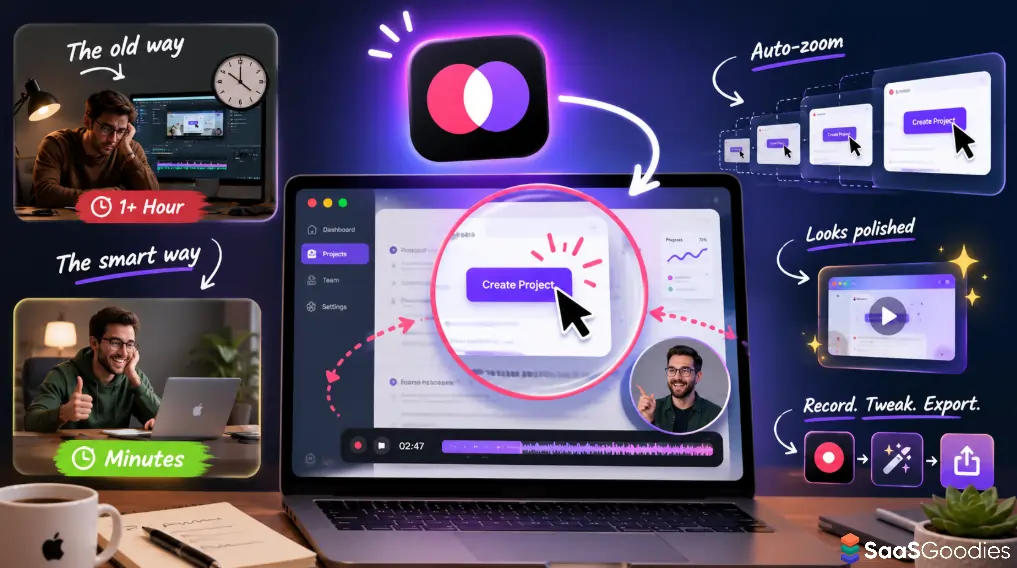
A discount on a tool nobody should buy is worthless. So here is the honest case first. Screen Studio is a macOS-only screen recorder that turns raw screen captures into polished, edited-looking videos automatically — no timeline, no keyframes, no afternoon lost in Final Cut.
The feature that earns the price is auto-zoom. The app follows the cursor and zooms in smoothly on clicks and actions, then pans back out, the way a human editor would if paid to keyframe every move. What normally takes hours of manual work happens as the recording is made. For tutorials, product demos and onboarding clips, that single feature changes the economics of making video.
We have run Screen Studio for our own tutorials and walkthroughs for the past few years. The pattern holds: record once, tweak the background, export. A three-minute tutorial that used to cost an hour of editing now ships in minutes, and it looks like a studio made it.
What every plan includes
There is no feature gating. Whether on the $9 annual rate or the $29 monthly rate, the toolkit is identical:
| Capability | What it does |
|---|---|
| Automatic cursor zoom | Zooms intelligently on clicks and actions, then smoothly pans back |
| Cursor smoothing | Turns jerky mouse paths into clean motion; resize the pointer after recording |
| 4K 60fps export | MP4 and GIF output with platform presets for YouTube, social and web |
| On-device AI transcripts | Subtitles generated locally — nothing sent to a server |
| Webcam overlay | Auto-positions so it never blocks the cursor view |
| iPhone / iPad recording | USB-connected capture with realistic device frames |
| Background noise removal | Real-time AI audio cleanup on mic and system audio |
| Brand customisation | Custom backgrounds, shadows, padding, aspect ratios (16:9, 9:16, 1:1) |
✅ What this means for buyers There is no “Pro tier” to upsell into. Paying more monthly does not unlock more — it only buys the same product on worse terms. The coupon decision is purely monthly vs annual.
Screen Studio pricing comparison: monthly vs annual
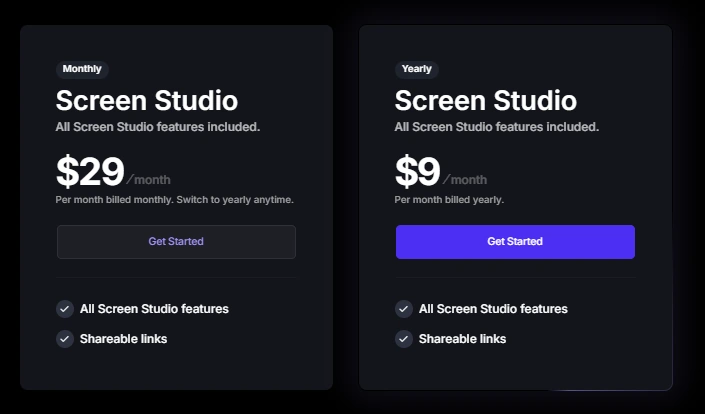
The clearest way to see the deal is to line up what each billing option actually costs across a year. The monthly plan looks cheaper at the till and is dramatically more expensive by December.
| Plan | Headline price | Annual cost | Saving vs monthly | Best for |
|---|---|---|---|---|
| Annual | $9/month | $108/year | $240 (70%) | Anyone recording regularly |
| Monthly | $29/month | $348/year | — | One-off projects only |
| Student (annual) | ~$5.40/month | ~$64.80/year | ~$283 (82%) | .edu email holders |
| Free trial | $0 | $0 | n/a | Testing before buying |
The break-even math is blunt: four months on the monthly plan costs $116 — already more than a full year on the annual rate. If Screen Studio gets used past the first season, monthly billing is simply money set on fire.
How the cost stacks up over time
Stretch the timeline and the gap widens fast. Across three years, annual billing runs $324 against $1,044 on monthly — a $720 difference for identical software.
| Time held | Monthly ($29/mo) | Annual ($108/yr) | You save with annual |
|---|---|---|---|
| 4 months | $116 | $108 | $8 |
| 1 year | $348 | $108 | $240 |
| 2 years | $696 | $216 | $480 |
| 3 years | $1,044 | $324 | $720 |
How to redeem your Screen Studio discount
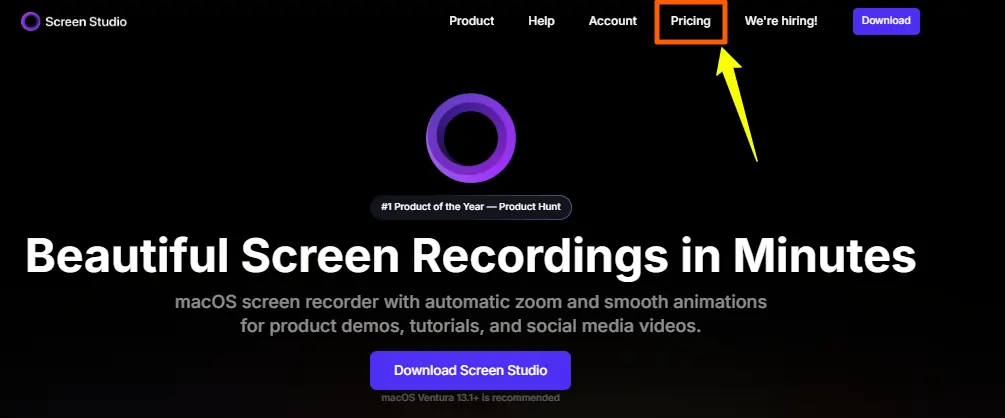
Claiming the 70% saving takes under two minutes and needs no copied code. The discount is built into annual billing — the job is just making sure the right toggle is selected before paying.
- Open the Screen Studio pricing page. Head to the official site through the deal links above and review the plans. Both show the same feature set.
- Select the Annual plan. This is the step that triggers the 70% discount. The price should read $9/month, billed $108/year. If it still shows $29, the monthly toggle is on — switch it.
- Add your .edu email if you qualify. Students and educators enter an institutional email in the email field. Verification is instant and the extra 40% applies before any card details are needed.
- Confirm the final number. Check the order summary reads $108 (or ~$64.80 with the student stack) before paying. No legitimate code should change this — if a field asks for one, the annual discount is already applied without it.
- Pay and install. Credit card, PayPal and Apple Pay are accepted. One purchase activates on up to three of your Macs.
How to save more money on Screen Studio
Beyond the headline annual deal, a few honest moves squeeze the price down further or de-risk the spend entirely.
✅ Operator takeaway For anyone making screen recordings on a Mac more than a handful of times a year, the annual plan is the only rational pick. The maths stops being close after month four. Lock the rate, use the refund window as insurance, and move on.
Is Screen Studio the best screen recorder for Mac?
For polished, edited-looking output with near-zero effort, it is hard to beat on macOS right now. The category it more or less created — “beautiful screen recording” with smooth auto-zoom and gradient backgrounds — is still where it leads. It carries a 4.7/5 rating on Product Hunt, and teams at Linear, Raycast and Framer use it for their own product videos.
That said, an honest deal page flags the catch. Three things are worth knowing before buying:
None of these is a dealbreaker for the core audience — Mac creators, SaaS founders and educators who want great video fast. They are the reasons to test on the free trial before committing.
| Tool | Pricing model | Approx. yearly cost | Auto-zoom | Platform |
|---|---|---|---|---|
| Screen Studio | Subscription | $108/yr | Yes — flagship | macOS only |
| Loom | Subscription | ~$180/yr (Business) | No | Cross-platform |
| Tella | Subscription | ~$312/yr (Pro) | Yes | Cross-platform |
| CleanShot X | One-time | ~$29 once | Limited | macOS only |
| OBS Studio | Free | $0 | No (manual) | Cross-platform |
Competitor prices are approximate list rates and shift with each vendor’s plans; confirm current numbers on each provider’s site.
What the Screen Studio deal looks like in 2026
The pricing picture this year is settled and stable. Screen Studio has fully committed to subscription billing, the lifetime option is retired, and the annual plan at $9/month is the anchor offer the company itself points buyers toward. The 70% annual discount runs year-round rather than as a flash sale, which means there is little reason to wait — beyond the occasional seasonal promotion that may shave a touch more.
For SaaS founders shipping demos, course creators building lessons, and marketers producing social clips, the calculus is simple: the tool pays for itself the first time it saves an afternoon of editing, and the annual rate makes that saving cheap to lock in.
Screen Studio coupon FAQs
Does Screen Studio need a promo code to get the discount?
No. The 70% saving is built into annual billing and applies automatically when the Annual plan is selected at checkout — there is no code to enter. The price simply changes from $29/month to $9/month. Any site advertising a separate magic code is almost always describing this same automatic annual discount.
What is the cheapest way to buy Screen Studio in 2026?
For most people, the annual plan at $108/year ($9/month) is the cheapest practical option. Students and educators go lower: a valid .edu email adds 40% off, bringing the annual cost to roughly $64.80/year (about $5.40/month) when stacked on annual billing. That student-plus-annual stack is the lowest price Screen Studio offers.
Is the Screen Studio annual deal genuinely 70% off?
Yes. Monthly billing is $29/month, or $348 across a year. The annual plan is $108/year, which is $9/month — about 70% less per month and a $240 yearly saving. The discount runs year-round, not as a limited flash sale.
Can the student discount stack with the annual plan?
It can. Select annual billing first, then enter a valid .edu email. The 40% education discount applies on top of the annual rate, landing at approximately $5.40/month. Verification is instant at checkout with no manual approval process.
Is there still a Screen Studio lifetime or one-time licence?
Not for new buyers. The one-time licence (last priced at $229) was discontinued in late 2025, and Screen Studio is now subscription-only. Anyone who bought the lifetime licence earlier keeps their activation, but new customers choose between the monthly and annual subscriptions.
Does Screen Studio offer a free trial or money-back guarantee?
Both, in effect. The app downloads free and every feature works — recording, editing and previewing — with no credit card. The only paywall is at export. Paid plans also carry a 30-day money-back guarantee, so the annual plan can be tested risk-free for a month. Always confirm the current refund terms at checkout, as policies can vary by region.
Does Screen Studio work on Windows?
No. Screen Studio is macOS only and requires macOS Ventura 13.1 or later on an Intel (2018+) or Apple Silicon Mac. There is no Windows or Linux version and none has been announced. Windows users wanting auto-zoom-style recording need a different tool.
How many devices can one Screen Studio subscription cover?
One subscription installs on up to three personal Macs — for example an iMac, a MacBook and a second Mac — without buying extra licences. The annual plan also adds a commercial licence, priority support and early access to new features over the monthly tier.
How we verified these prices
Every figure on this page was checked against live 2026 pricing and current public listings, then cross-referenced across multiple independent pricing breakdowns rather than taken from a single source.
Prices, discounts and feature availability can change without notice and may vary by region under local consumer law — the order summary at checkout is always the final word.
Last updated 2026.
Full methodology.
Why our deal pages can be trusted.
|
Verified · 70% Off Ready to record like the SaaS teams do?Lock in the Screen Studio annual plan at $9/month — 70% off, full toolkit, and a 30-day money-back guarantee. No coupon code required — choose annual billing at checkout. |
$9/mo 70% off annual plan Activate Deal →30-Day Guarantee |
Disclosure: SaaSTreats uses affiliate links. Activations through our CorelDRAW partner link may earn SaaSTreats a commission at no extra cost — and the full 20% promotion remains identical to every reader.
A digital tools enthusiast and SaaS deal researcher focused on finding the best software discounts for creators, developers, and online businesses. He specializes in breaking down complex software pricing into simple, actionable insights and curating verified coupon offers that help users save on premium tools. When She’s not analyzing SaaS products, he’s testing productivity apps and exploring creator workflows to uncover tools that actually improve real-world output.
Nino Beridze

Aliakbar Fakhri is the founder of SaaSTreats, where he shares the latest SaaS deals, verified coupons, and tool recommendations. He focuses on helping marketers, creators, and businesses save money while choosing the right software for their needs.
Aliakbar Fakhri
Founder, SaasTreats
Alternatives to



Save Up to $240
70% Off Screen Studio + Free Trial
Save 70% on Screen Studio’s annual plan and get premium screen recording tools for just $9/month.
Start saving on the best SaaS
SaasTreats has already helped tens of thousands of startups save more smartly on the best SaaS like CorelDRAW, Adobe, Figma, Canva, Google Workspace and many more. Join SaasTreats to buy software the smart way.


Leave a Reply